A useful troubleshooting process starts by describing what failed and limiting further changes. Many everyday issues can be narrowed down with a few careful checks. This guide helps you gather evidence and resolve simple causes while keeping more complicated problems reviewable for Digital Rebellion.
Start with a precise description Write down the page URL, the time, what you expected and what actually happened. Include whether you were logged in, the device and browser, and whether the problem affects everyone or only one session. Record any recent content, settings or update changes.
Copy the exact error wording where possible. Screenshots help when they show the relevant area, but remove personal data, order details and secrets before sharing. “The website is broken” gives less useful information than “The contact form shows this error after submission on the Contact page.”
When saved changes do not appear Reopen the editor and confirm the change was saved to the intended page. Check whether you edited a draft or duplicate. Open the public URL in a private window. If the editor has the new content but visitors see the old version, investigate the configured page cache, hosting cache or content-delivery layer.
Use only the approved cache controls. Avoid clearing every cache or changing optimisation settings repeatedly without checking the result. A separate mobile template, translated page or builder template can also explain why one view remains different.
When a page or link returns an error Check the destination URL and publication status. A changed slug or deleted page can break a previously valid link. Correct the source link or arrange the appropriate redirect. Do not change the entire permalink structure to repair one broken link.
If many existing pages suddenly return 404 errors, preserve the evidence and ask Digital Rebellion to inspect routing and server configuration. Saving permalink settings is sometimes part of a technical diagnosis, but it is not a universal repair for every missing page.
When an upload or layout fails Check the file size, format and stated upload limit. Try a properly resized version rather than repeatedly submitting the same oversized file. If an image appears stretched or cropped, inspect the block or template dimensions before replacing the original file.
For layout problems, compare desktop and mobile views and identify the affected section. A long unbroken URL, wide table or inherited spacing can be involved. Avoid editing global styles when only one local block has a problem.
When forms or checkout fail For forms, distinguish validation failure from a missing email notification. Check stored submissions and approved delivery logs where available. A success message without an email is a different problem from a form that refuses to submit.
For checkout, record the chosen product, variation, customer region, shipping method, payment method and exact error. Use your own test details and the approved test mode. If a payment error occurs, check the order and provider before trying again; a failed-looking screen can still be associated with a successful charge.
Use Site Health as supporting evidence Where permitted, open Tools → Site Health to inspect reported checks and configuration information. The Info area can help the technical team understand the environment.
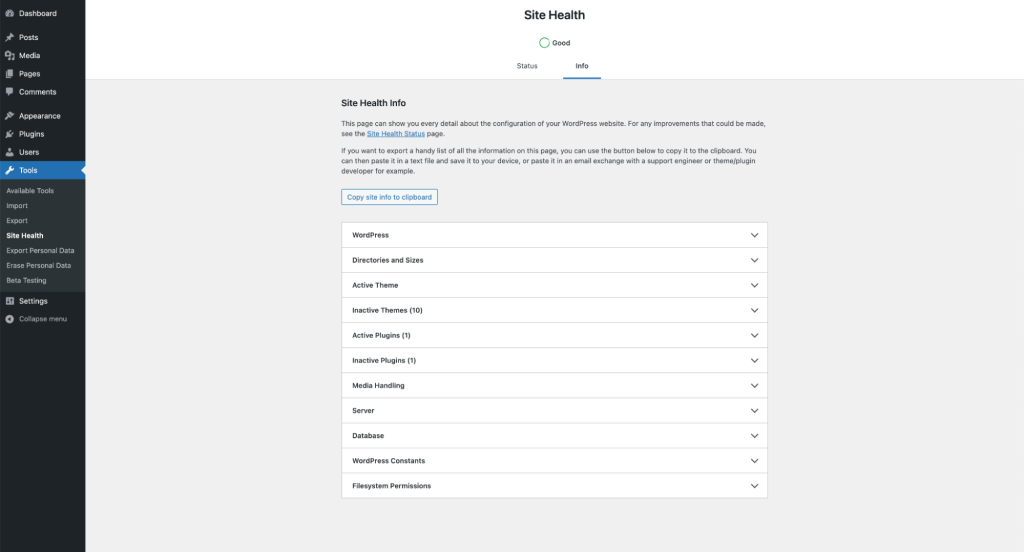
Do not publish a full configuration report in a public forum without review. Some details may identify private paths, plugins or infrastructure. Send the relevant information through your established support channel.
Send a useful support report Include the exact URL, steps to reproduce, expected result, actual result, time and timezone, affected device and any recent changes. State whether orders or enquiries are blocked. Include a redacted screenshot if helpful and explain the checks you already completed.
Frequently asked questions Should I deactivate all plugins? Conflict testing is usually safer on staging or through an approved isolation tool. Broad deactivation on a live site can interrupt payments, forms and security.
Should I keep retrying a failed payment? Check the existing order and payment record first to avoid duplicate charges.