A coupon should deliver the promotion you intended without creating unexpected discounts. Clear rules are especially important when a code is shared publicly or combines with other offers. This Digital Rebellion guide explains how to plan, configure and test a standard WooCommerce coupon before customers use it.
Define the promotion first Write a short internal brief: who can use the code, what it discounts, how much it discounts, which products are eligible, when it ends and whether it can combine with other offers. Decide how many redemptions the business can support and whether customers need a minimum basket value.
For example, you might offer a percentage discount on one product category for a limited campaign, excluding items already on sale. An unconditional discount on the whole cart is a different promotion. Make the rules specific enough that another staff member can predict the result of a sample basket.
Open the coupon tools On a standard installation, coupons are commonly managed under Marketing → Coupons; some versions or configurations provide another route. Coupon use must also be enabled in the store configuration where applicable. Use the existing tools rather than installing another discount plugin simply to find a familiar screen.
Add a new coupon and enter a code customers can copy accurately. Avoid ambiguous characters when a code will be read aloud or printed. Use the internal description for the campaign purpose and approval reference. Do not put confidential information in a code shared with customers.
Set the discount and expiry In the coupon’s general settings, choose the appropriate standard discount type, such as percentage, fixed cart or fixed product. Enter the intended amount and check what that amount means for the selected type. A fixed product discount can apply differently from a fixed cart discount when quantities change.
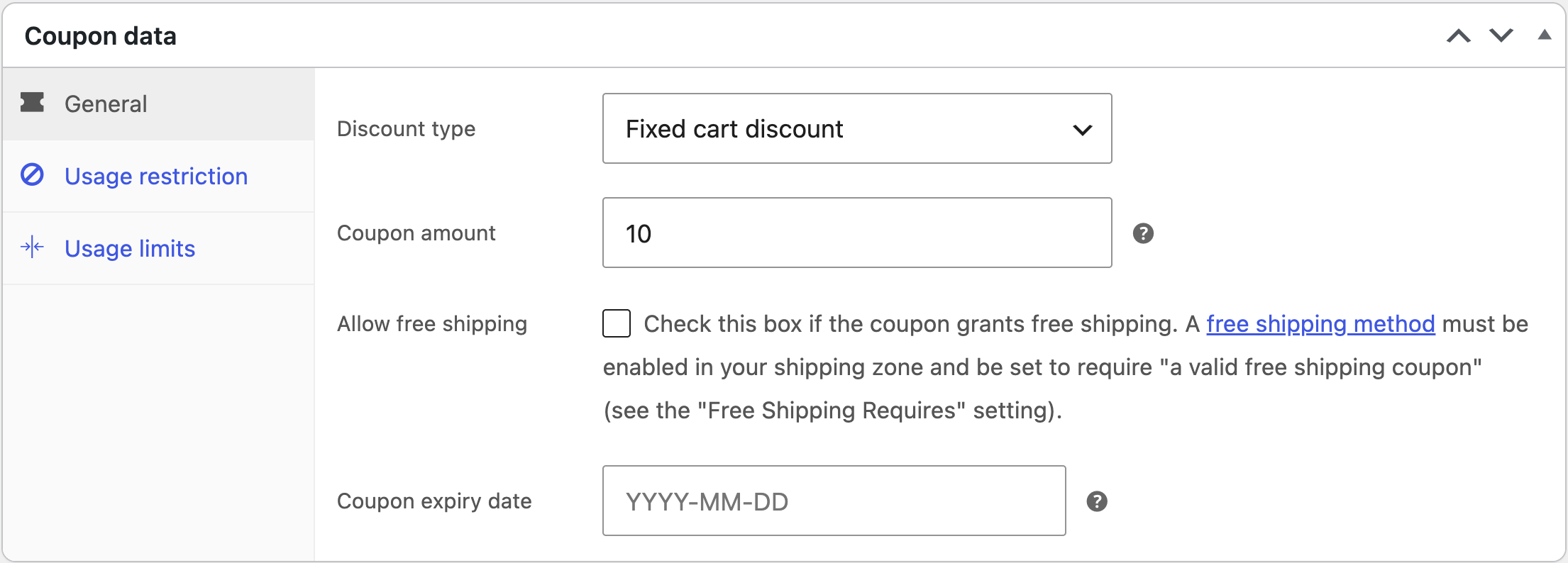
Set the expiry if the offer is time limited and verify the site’s timezone. If the promotion includes free shipping, check both the coupon’s free-shipping option and the shipping method’s requirements. Enabling the coupon option alone does not create a shipping service in every zone.
Add restrictions and limits Use the available minimum or maximum spend, included or excluded products, categories, email restrictions and sale-item rules as appropriate. Configure whether the coupon can combine with others. Check how minimum-spend calculations interact with your tax configuration rather than relying only on a headline subtotal.
Set total usage and per-user limits where they suit the campaign. A per-user limit is not a complete fraud-prevention system, particularly where guest checkout or multiple accounts are possible. Do not promise perfect one-person enforcement on the strength of a single setting.
Test eligible and ineligible baskets Use a logged-out session and a test customer account if the offer depends on customer identity. Test a qualifying cart, a cart below the threshold, an excluded item, a sale item and a basket containing several quantities. Try combining the code with another promotion.
Check the final payable amount, shipping and tax display. Test on mobile and confirm the exact wording of any rejection message. If a rule does not match the campaign brief, correct the setup before distributing the code. Record the tested examples so staff know what to expect.
Monitor and close the campaign Track usage and unusual order patterns during the promotion. When it ends, confirm that new checkouts reject the expired code and remove or update public promotional text. Review existing orders separately; changing a coupon does not rewrite historical purchases.
Frequently asked questions Can I use a coupon for a sale price? Coupons and product sale prices are separate mechanisms. Choose the one that matches the campaign and test their interaction.
Why does free shipping not appear? Check the customer’s matched shipping zone, the available free-shipping method and its configured requirements.